Waterfall chart from a URL
Create a Waterfall chart as a PNG image with a single URL — How changes add up to a total. No charting library, no JavaScript, no screenshots.
Live example
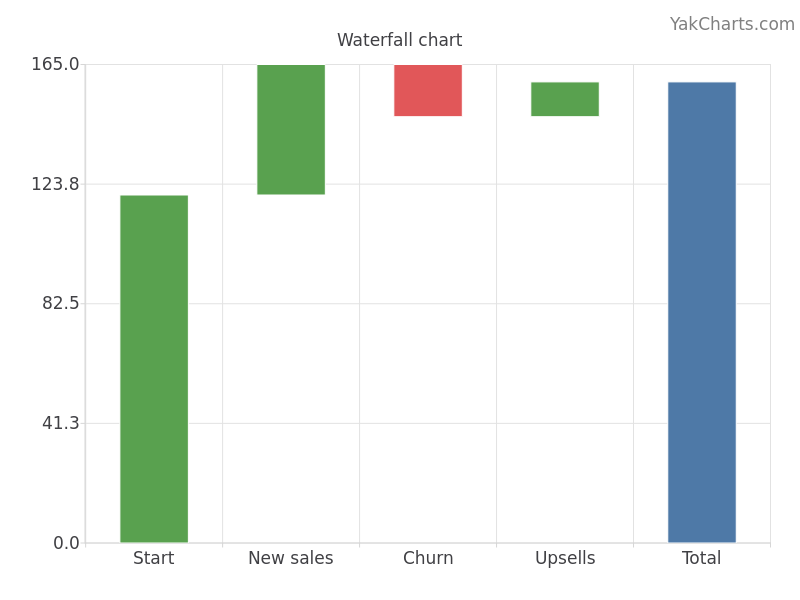
https://yakcharts.com/chart.png?type=waterfall&data=%5b%5b%22Start%22%2c120%5d%2c%5b%22New%20sales%22%2c45%5d%2c%5b%22Churn%22%2c-18%5d%2c%5b%22Upsells%22%2c12%5d%5d&title=Waterfall%20chartEmbed it anywhere
<img src="https://yakcharts.com/api/chart.png?apiKey=YOUR_KEY&type=waterfall&data=%5b%5b%22Start%22%2c120%5d%2c%5b%22New%20sales%22%2c45%5d%2c%5b%22Churn%22%2c-18%5d%2c%5b%22Upsells%22%2c12%5d%5d">Works in email, PDFs, READMEs, Slack, dashboards — anywhere an image works. Sign the URL with your secret to remove the watermark.
From code
curl "https://yakcharts.com/api/chart.png?apiKey=YOUR_KEY&type=waterfall&data=%5b%5b%22Start%22%2c120%5d%2c%5b%22New%20sales%22%2c45%5d%2c%5b%22Churn%22%2c-18%5d%2c%5b%22Upsells%22%2c12%5d%5d" -o chart.pngFull reference + JavaScript, Python, PHP, Go and Ruby samples in the docs.
Other chart types
Put this chart in your own emails, reports and dashboards
YakCharts turns data into a PNG from a single URL — no charting library, no JavaScript, no screenshots. Free tier included; every plan has all 28 chart types.