How to rotate an API key in YakCharts
If a key ends up somewhere public, such as a shared spreadsheet, replace it. Rotating issues a new key in place and the old one stops working, so chart URLs made with the old key stop loading until you update them.
Before you start
- A YakCharts account (the free plan includes the Chart Editor)
- Access to every system that uses the key
Transcript
Replace an API key that may have been exposed, without creating a second key or changing its options.
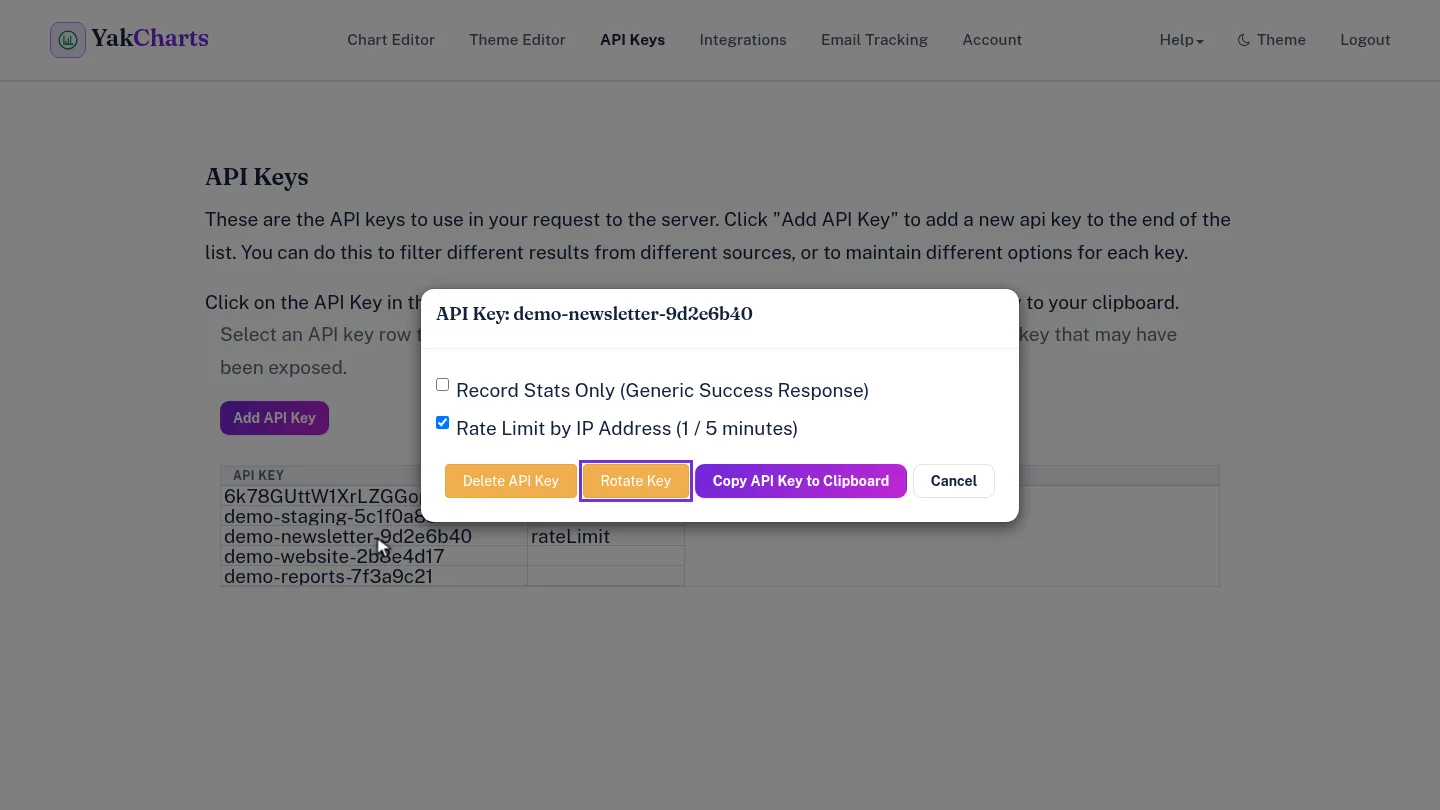
On API Keys, select the key's row. A dialog opens with its options and actions.
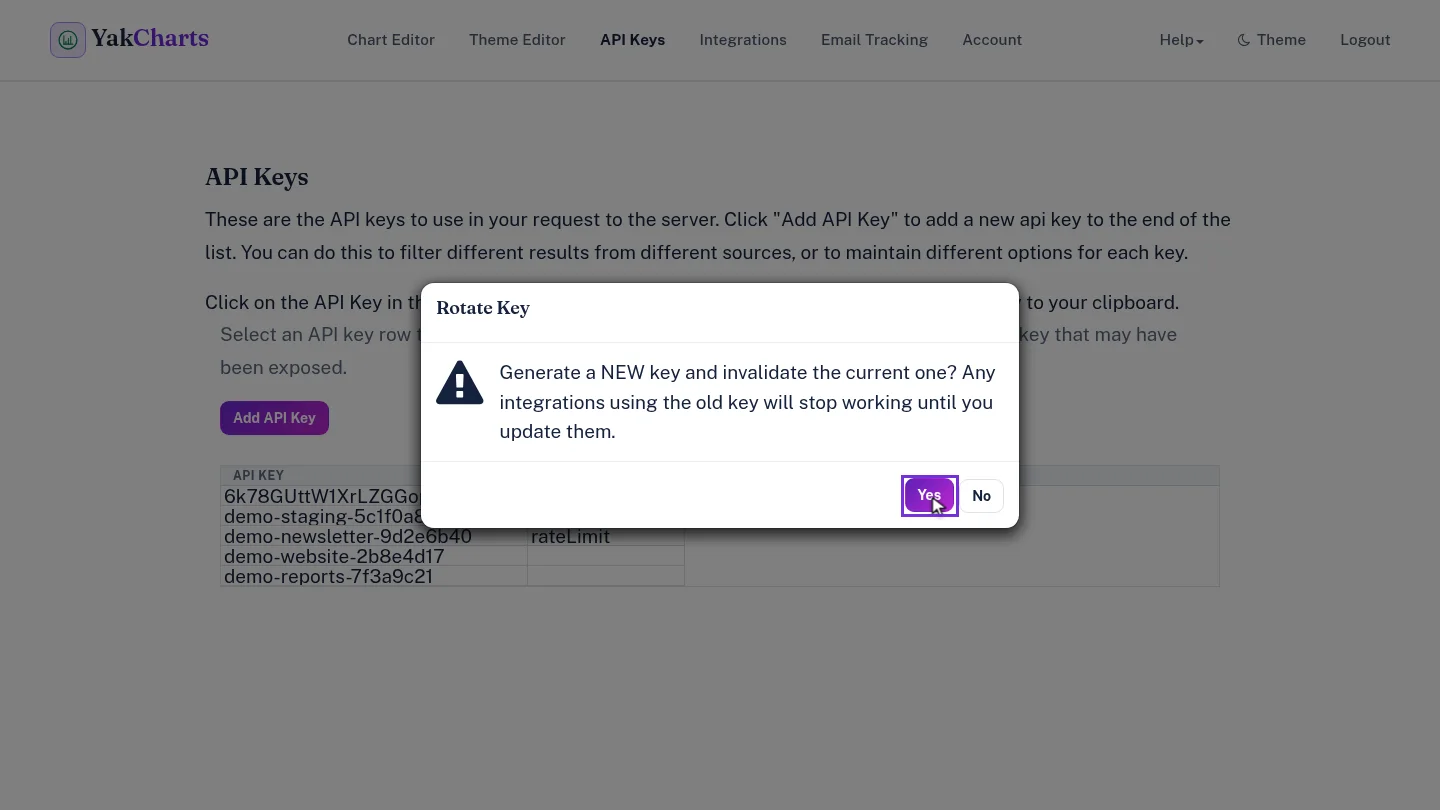
Select Rotate Key. YakCharts warns that anything using the old key stops working until you update it. Select Yes.
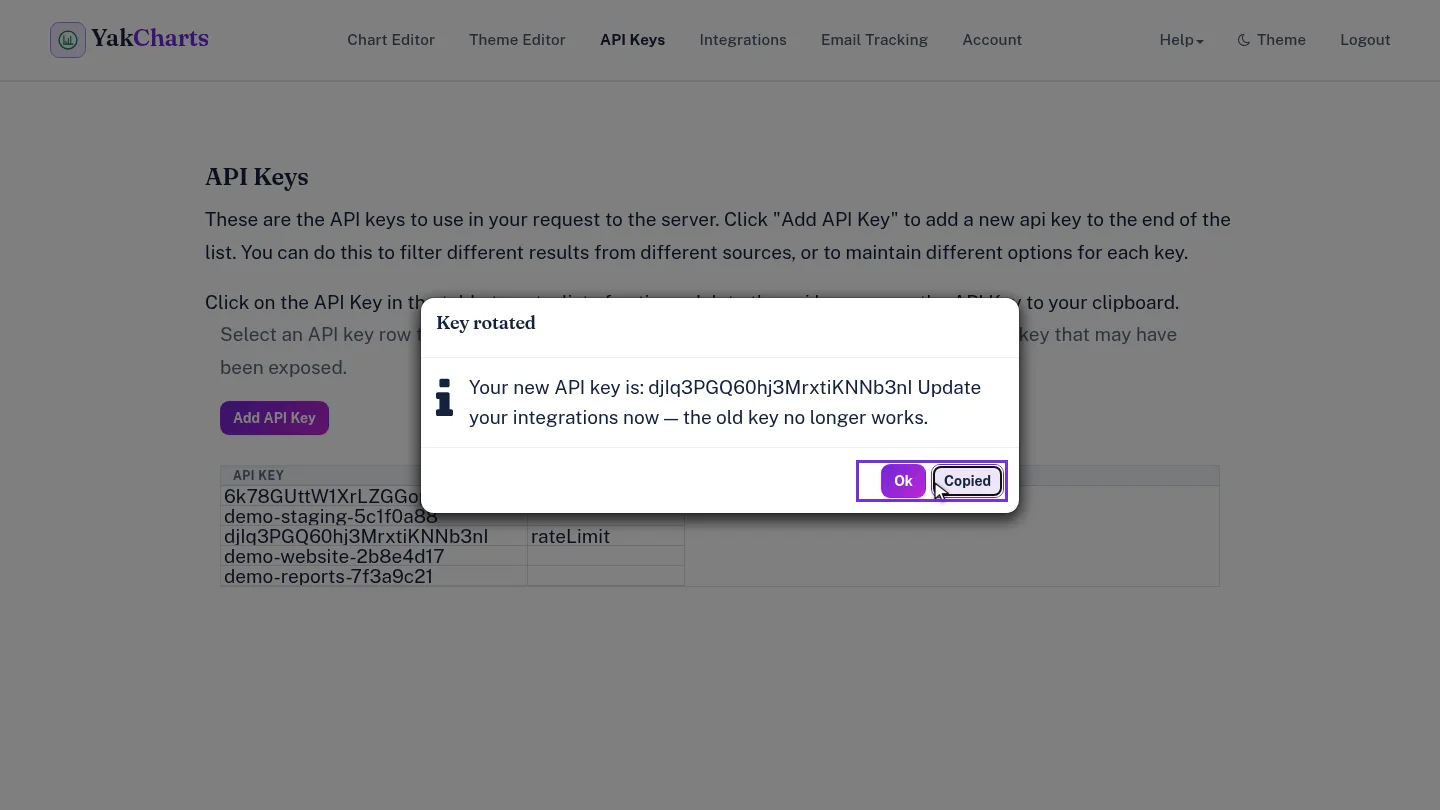
The Key rotated message shows your new key. Select Copy new API key, and paste it into each app that used the old one.
Steps
Open the key ▶ 0:08
In API Keys, select the key's row.
Confirm the rotation ▶ 0:14
Select Rotate Key, read the warning, then select Yes.
Copy the new key ▶ 0:23
In Key rotated, select Copy new API key, then update every app that used the old key.
Next steps
Updated 2026-10-26
rotate key leaked api key regenerate key