How to see who opened a chart email in YakCharts
Raw image loads overstate opens: Apple Mail downloads images whether or not anyone reads the message. Email Tracking splits verified opens from proxy fetches, so you can tell a client report was actually seen.
Before you start
- A paid plan or an active free trial
- A tracked embed that has been sent
Transcript
Find out whether clients opened the report you emailed, without counting automatic image downloads.
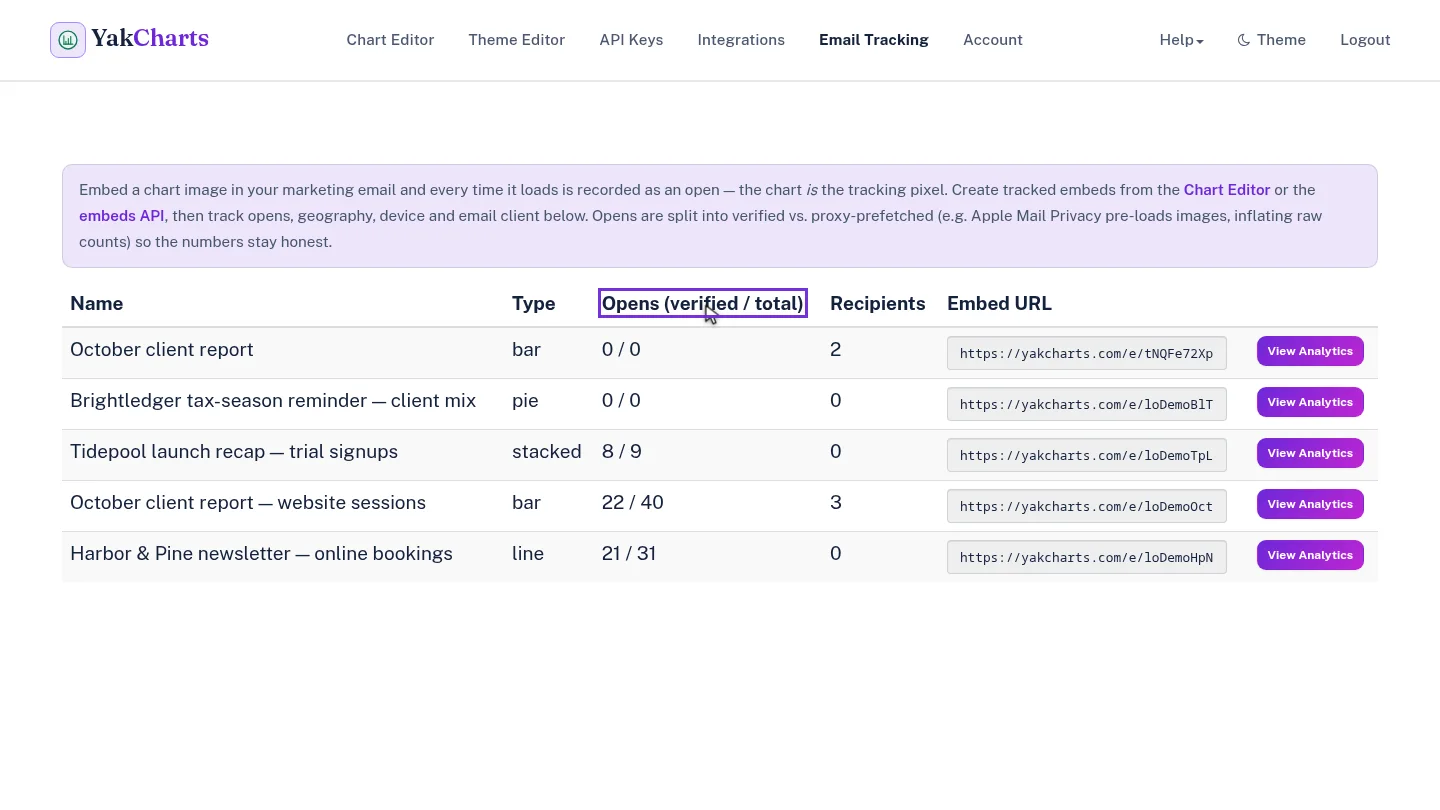
Email Tracking lists every tracked embed with its verified opens out of total fetches, and how many recipients it has.
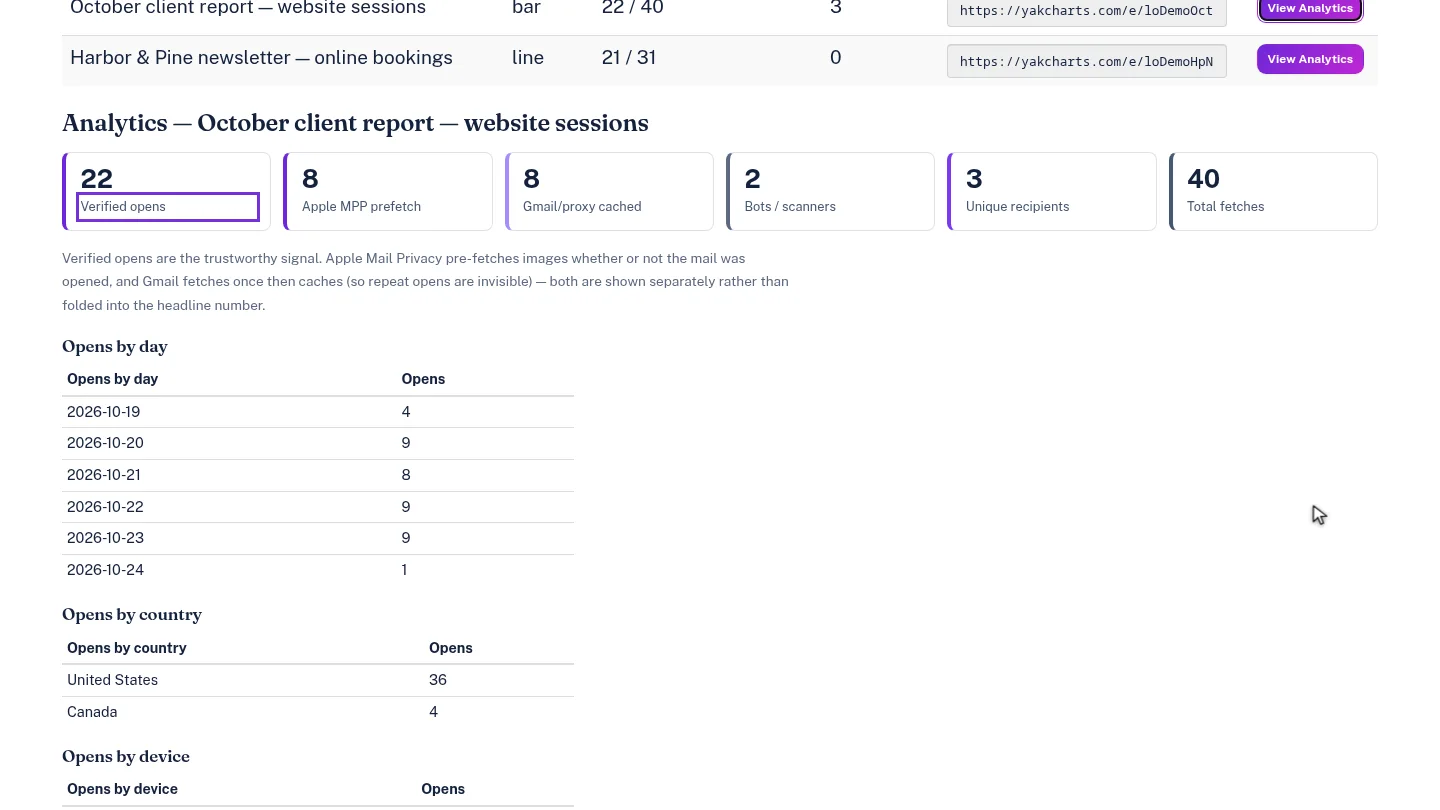
Select View Analytics on the October client report. Verified opens is the number to trust; Apple Mail prefetches, Gmail cached copies and scanners are counted separately.
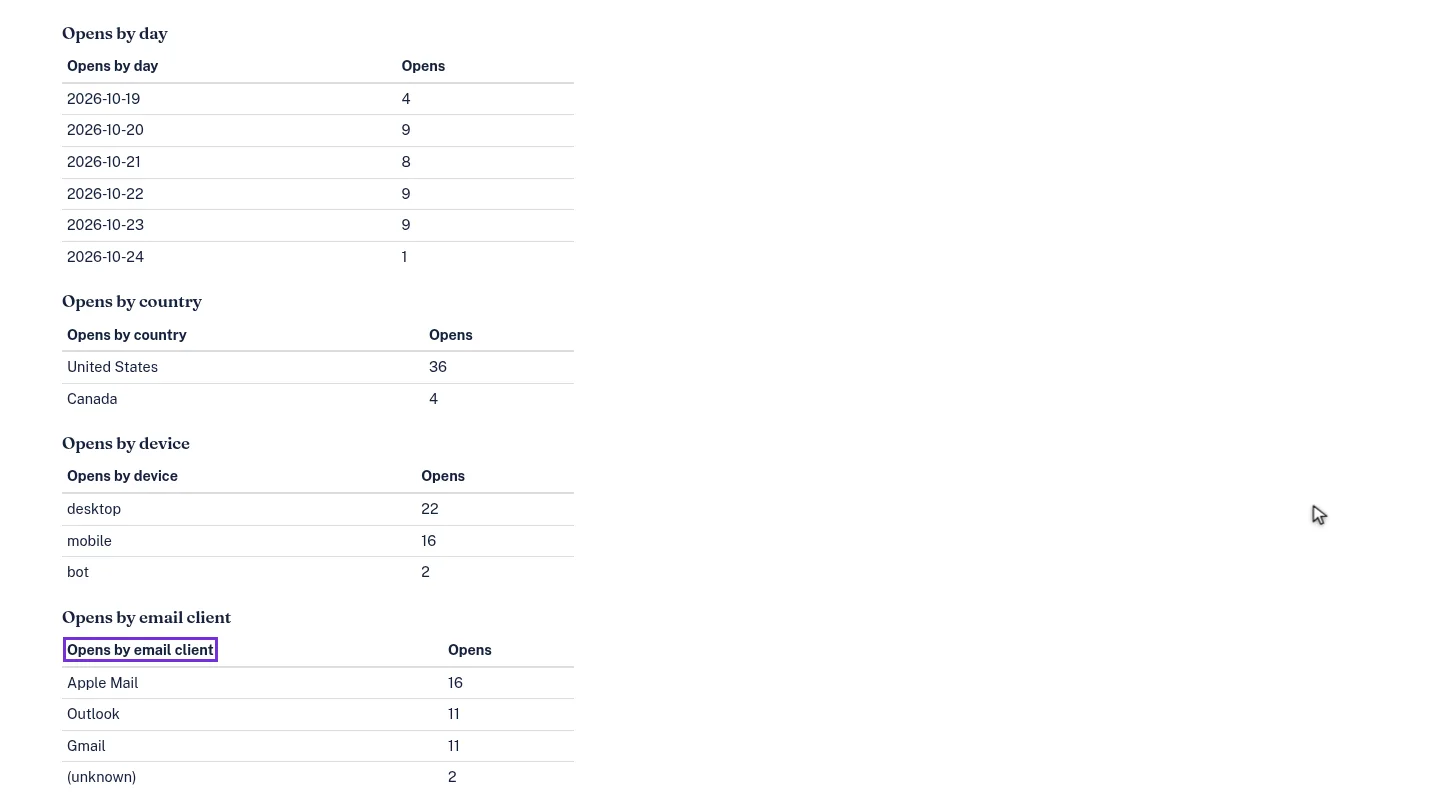
Scroll down for opens by day, country, device and email client, for example to see that most clients read on Apple Mail.
Steps
Find the embed ▶ 0:07
Open Email Tracking. Each embed shows Opens (verified / total) and Recipients.
Open its analytics ▶ 0:15
Select View Analytics on the embed's row. Compare Verified opens with Apple MPP prefetch, Gmail/proxy cached and Bots / scanners.
Read the breakdowns ▶ 0:28
Scroll to Opens by day, Opens by country, Opens by device and Opens by email client.
Next steps
Updated 2026-10-26
email open rate apple mail privacy chart analytics who opened my email