How to limit an API key by client IP in YakCharts
A key used on a public web page can be reused by anyone who views the source. Rate limiting by IP lets each visitor's address render one chart every five minutes, so one visitor can't burn through your monthly renders.
Before you start
- A YakCharts account (the free plan includes the Chart Editor)
Transcript
Stop one visitor from using up your monthly chart renders through a key on a public page.
Select the key used on your public site. Its options open in a dialog.
Select Rate Limit by IP Address. The setting saves straight away. Select Cancel to close the dialog.
Steps
Open the key ▶ 0:07
In API Keys, select the key's row.
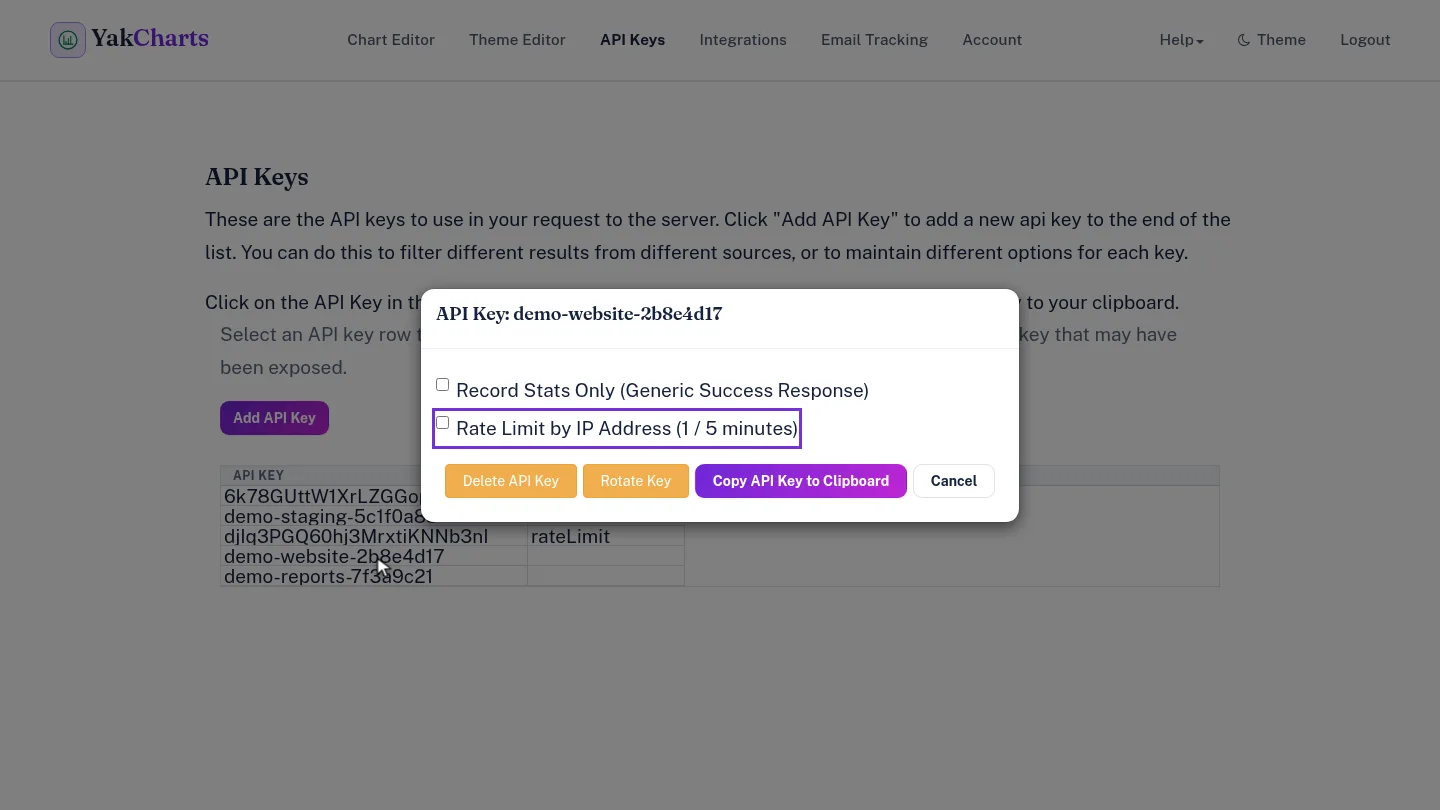
Turn on the limit ▶ 0:13
Select Rate Limit by IP Address (1 / 5 minutes). It saves immediately; select Cancel to close the dialog.
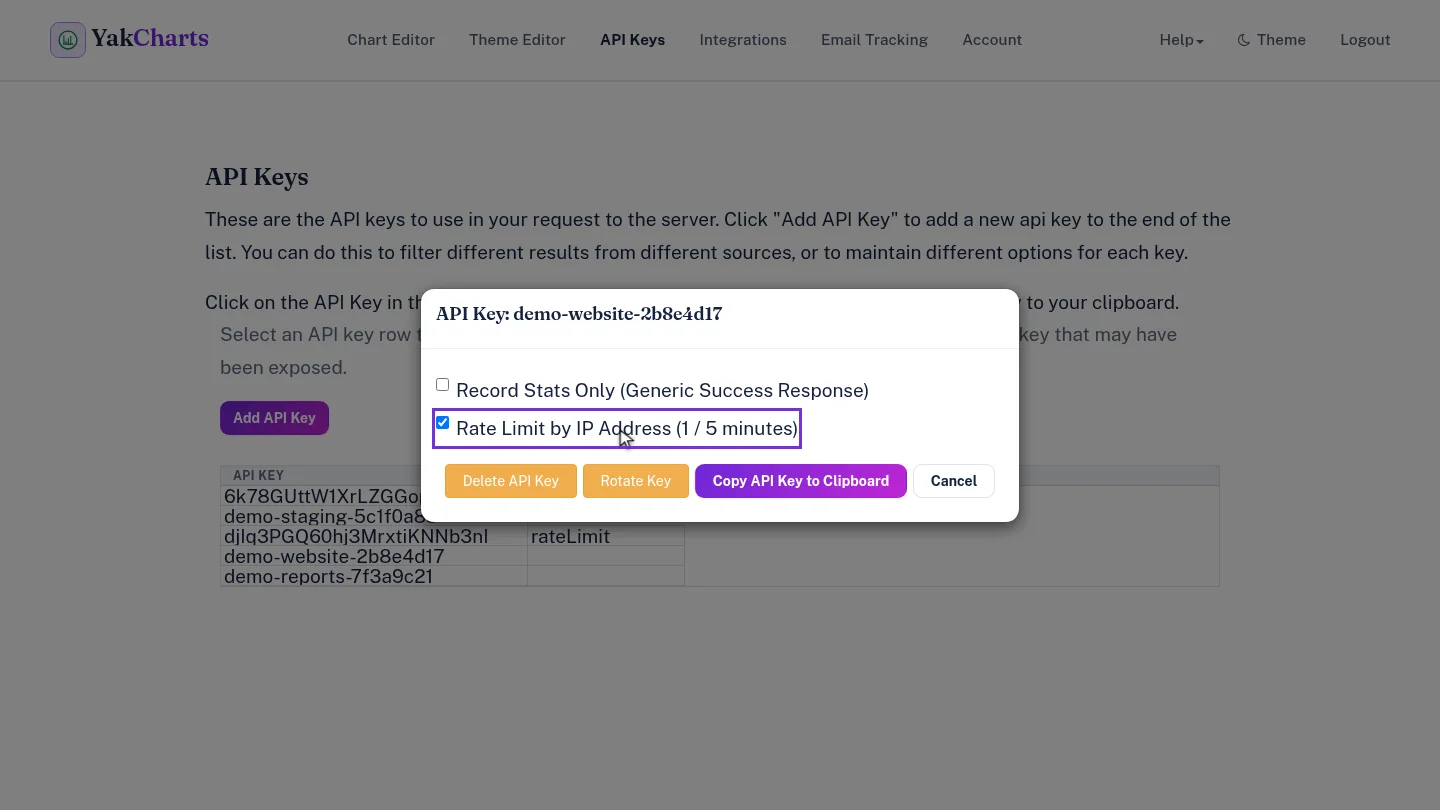
ResultRequests with this key are limited to one per client IP address every five minutes. The key's Options/Settings shows rateLimit the next time the page loads.
Next steps
Updated 2026-10-26
rate limit per ip limit api abuse 429