How to subscribe to a paid YakCharts plan
The free tier watermarks every chart and caps renders at 1,000 a month. A paid plan removes the watermark and raises the monthly limit, starting at Basic with 100,000 renders.
Before you start
- Owner or admin role
Transcript
Remove the YakCharts watermark and raise your monthly render limit with a paid plan.
Open the Account page and select Subscribe under the plan you want, for example Basic. The checkout opens with the plan and its monthly price.
Enter your card number, expiry date and security code, choose your country, and enter your ZIP or postal code.
Select Subscribe. YakCharts shows Payment received while it activates the subscription, then the Account page shows your new render limit and the next bill date.
Steps
Choose a plan ▶ 0:06
Select Account, then select Subscribe under the plan you want. The checkout shows Subscribe to the plan and its price.
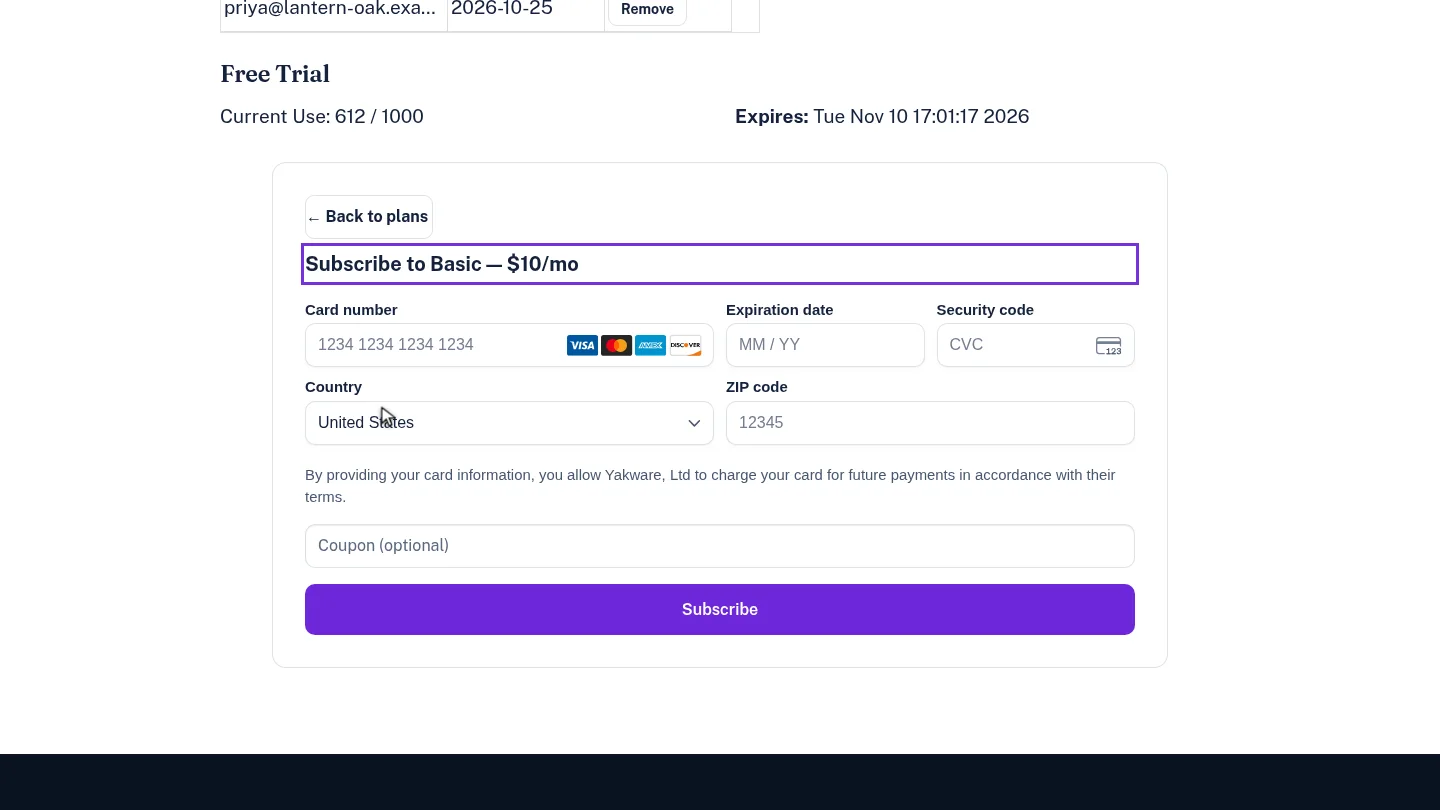
Enter your card ▶ 0:15
Enter the Card number, Expiration date and Security code, choose your Country, then enter the ZIP code or postal code.
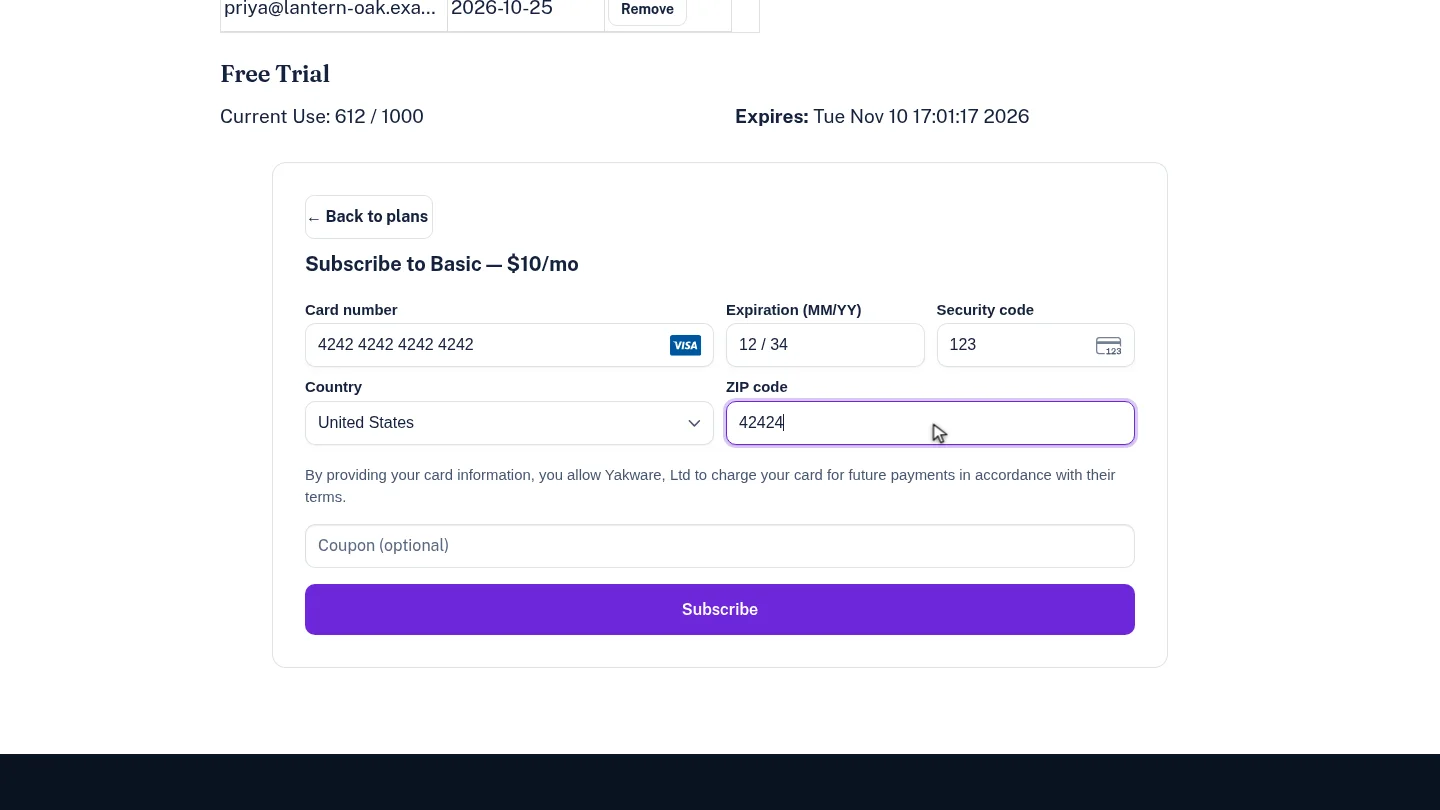
Subscribe and check your plan ▶ 0:23
Select Subscribe. After Payment received — activating your subscription…, the Account page shows Current Use/Limit: with the new limit and Next Bill Date:.
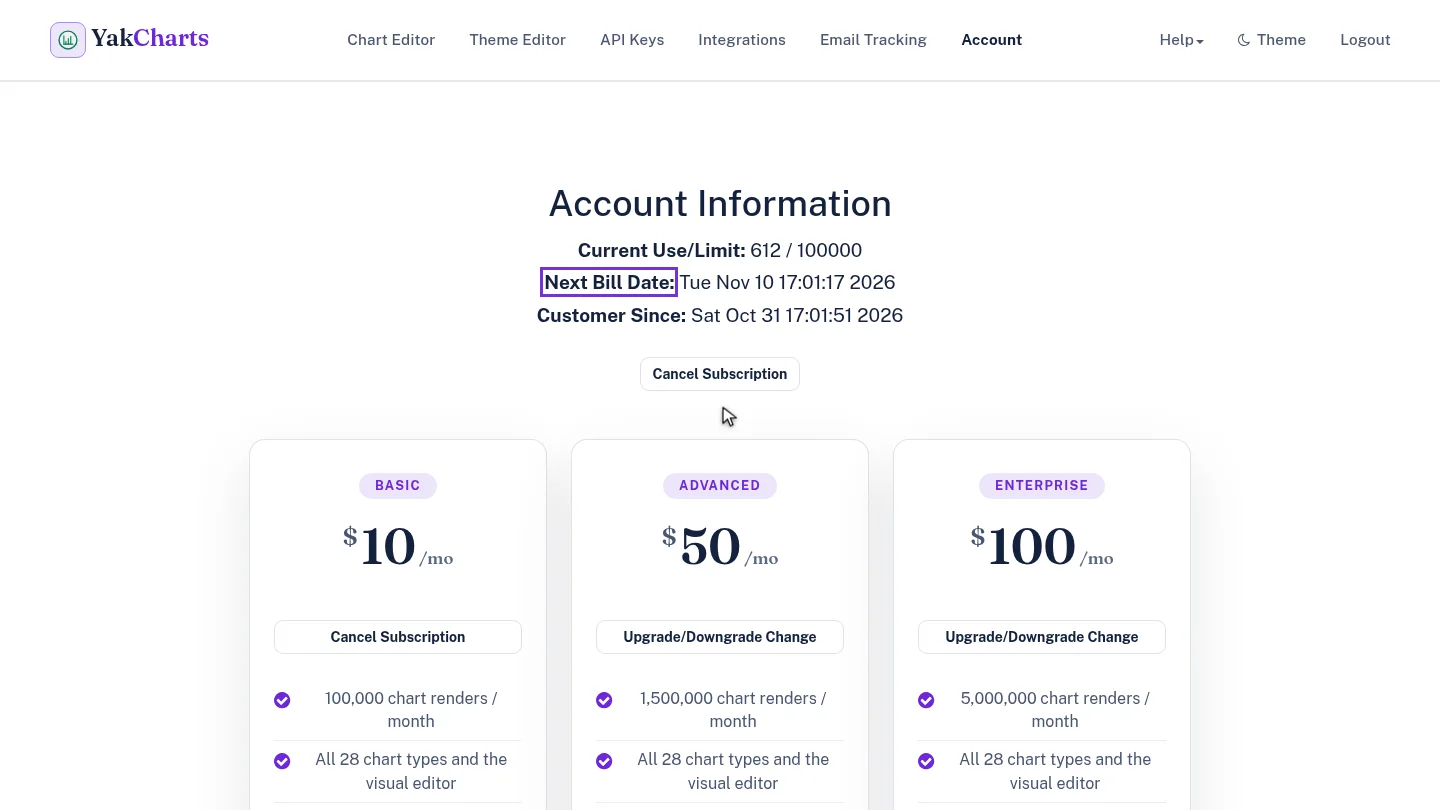
Next steps
Updated 2026-10-26
upgrade pricing remove watermark buy plan