How to change your YakCharts plan
Rendering more charts than your plan allows, or fewer than you pay for? Switch to another plan from the Account page.
Before you start
- Owner or admin role
- A paid subscription
Transcript
Move to a bigger or smaller YakCharts plan from your Account page, without cancelling first.
On the Account page, find the plan you want, for example Advanced, and select Upgrade/Downgrade Change. YakCharts asks you to confirm.
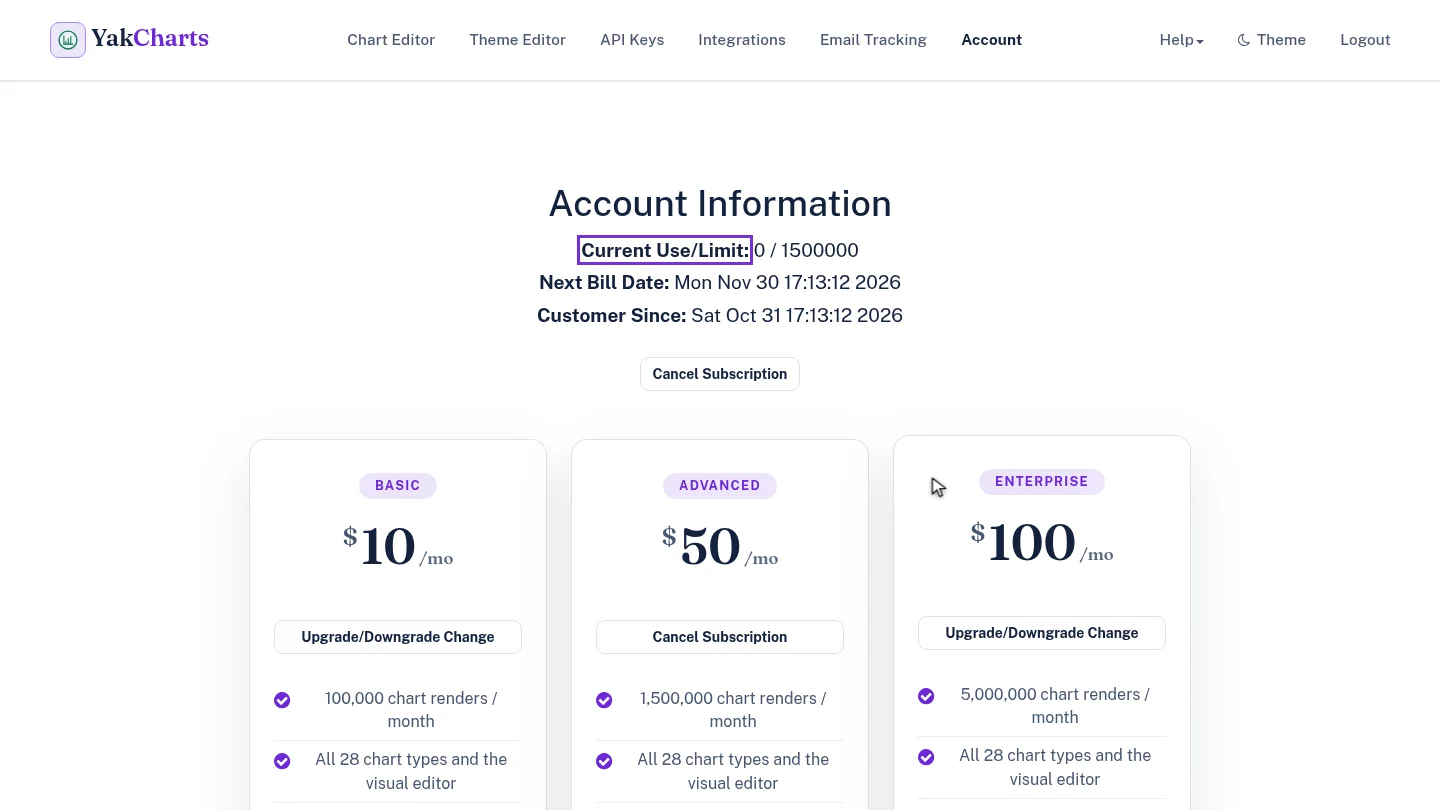
Select Yes. Once Stripe confirms the change, the Account page shows Advanced as your current plan, with its higher render limit under Current Use and Limit.
Steps
Choose the new plan ▶ 0:07
In Account, select Upgrade/Downgrade Change under the new plan. Confirm changing subscription plan? appears.
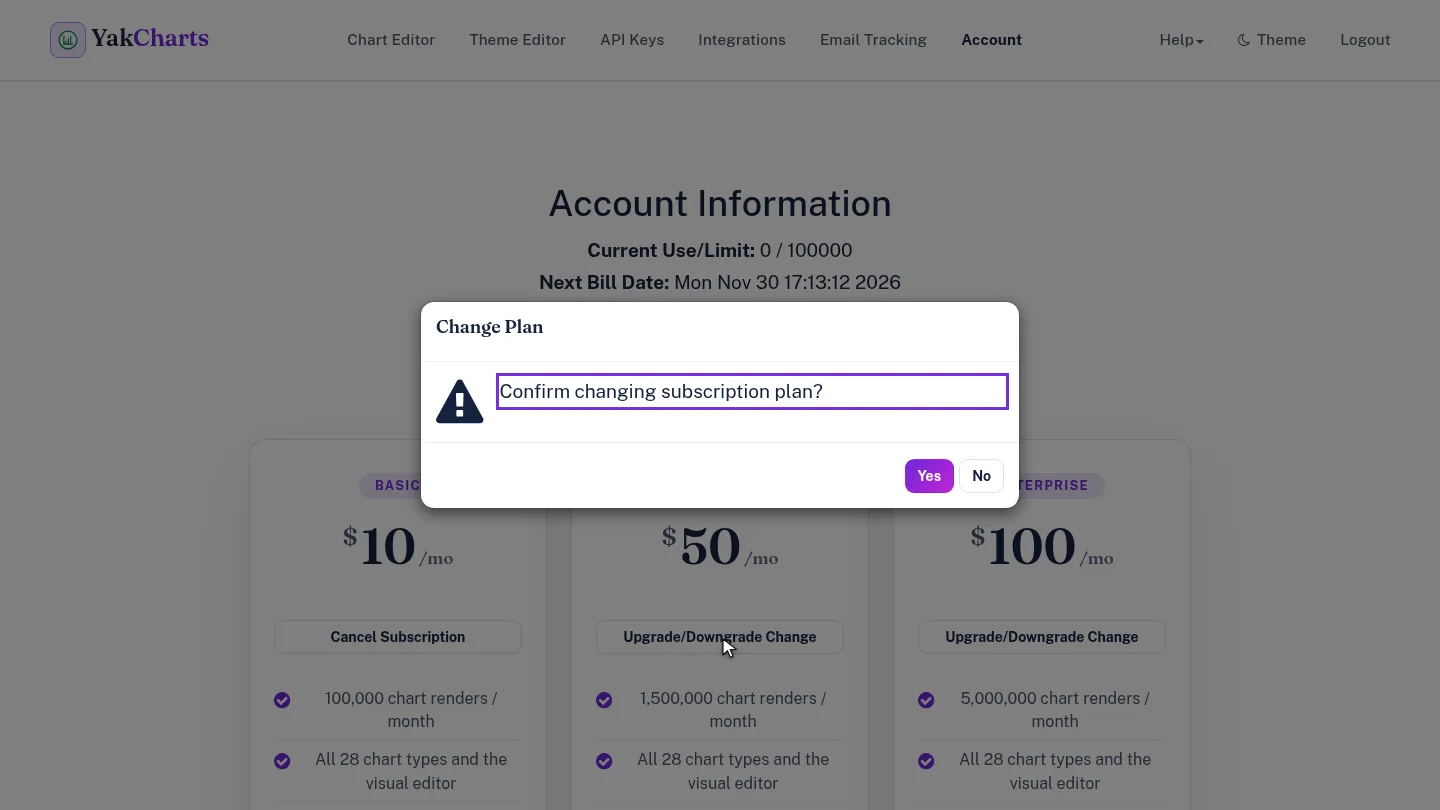
Confirm the change ▶ 0:18
Select Yes. When Stripe confirms the change, the new plan shows Cancel Subscription on its card and Current Use/Limit: shows the new limit.
Next steps
Updated 2026-10-26
upgrade plan downgrade plan switch plan